TextExhibit Extractor
After creating an iPhone backup, use TextExhibit Extractor to package only the specific conversations you want to share with your legal team into a single .textexhibit file.
TextExhibit Extractor is only needed when packaging conversations to send to a legal team. If you’re generating PDFs yourself, you don’t need it — use TextExhibit Desktop for iPhone Backups directly against your iPhone backup. Reads Finder backups on macOS and Apple Devices backups on Windows.
Windows Instructions
Step 1: Install TextExhibit Extractor, allow it to locate iPhone backup
Download and install our small tool that extracts/packages only the specific conversations you choose to share with your legal team:
download Download TextExhibit Extractor for WindowsOpen TextExhibit Extractor. You should be able to see the iPhone backup you created in the UI.
Mac Instructions
Step 1: Install TextExhibit Extractor, allow it to locate iPhone backup
Download and install our small tool that extracts/packages only the specific conversations you choose to share with your legal team:
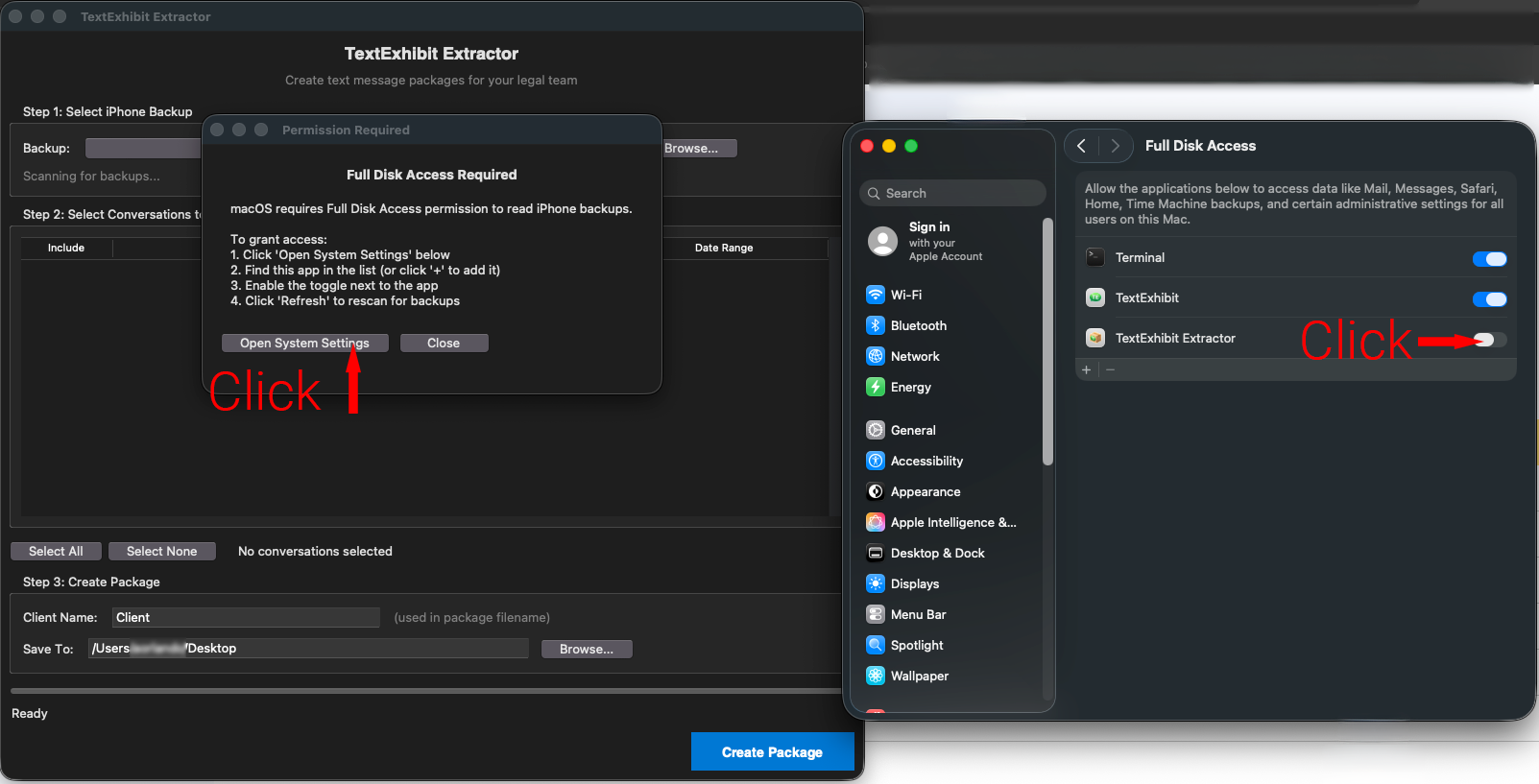
download Download TextExhibit Extractor for MacOpen TextExhibit Extractor. On macOS, this app must be granted Full Disk Access to locate your iPhone backup. You’ll see a dialogue asking you to Open System Settings. Click that button, then click on the toggle to grant disk access to TextExhibit Extractor.
Create .textexhibit package file using TextExhibit Extractor
Select Conversations to Include:
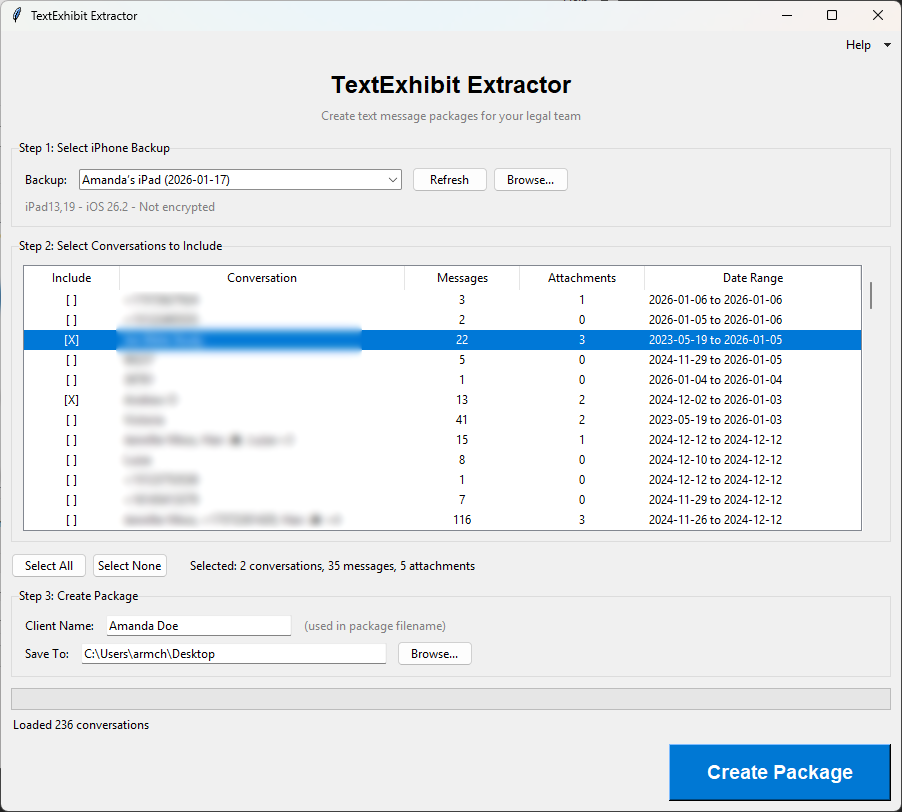
Click “Create Package”.
Final Step: Send the .textexhibit File to Your Attorney
Your attorney’s staff should be able to give you instructions on how to securely deliver the .textexhibit backup file.
This may involve sending you a link to a private client upload folder via SharePoint or asking you to upload the file to Google Drive and use the Share feature.