I’m exporting my own iPhone
Personal iPhone
$19.99 one time
- One personal iPhone
- Perpetual license
- Bates numbering and hash verification reports
- Local processing
- Unrestricted PDF and Excel exports
Choose Personal iPhone
TextExhibit for iPhone backups
TextExhibit reads Finder backups on macOS and Apple Devices backups on Windows.Select conversations and generate searchable, printable exports locally on your computer.
Email the Windows and Mac download links to yourself or a colleague to install on a computer. Separate Mac installers are available for Apple silicon and Intel processors.
Version 2.3.5 · Release Notes
Email Product Information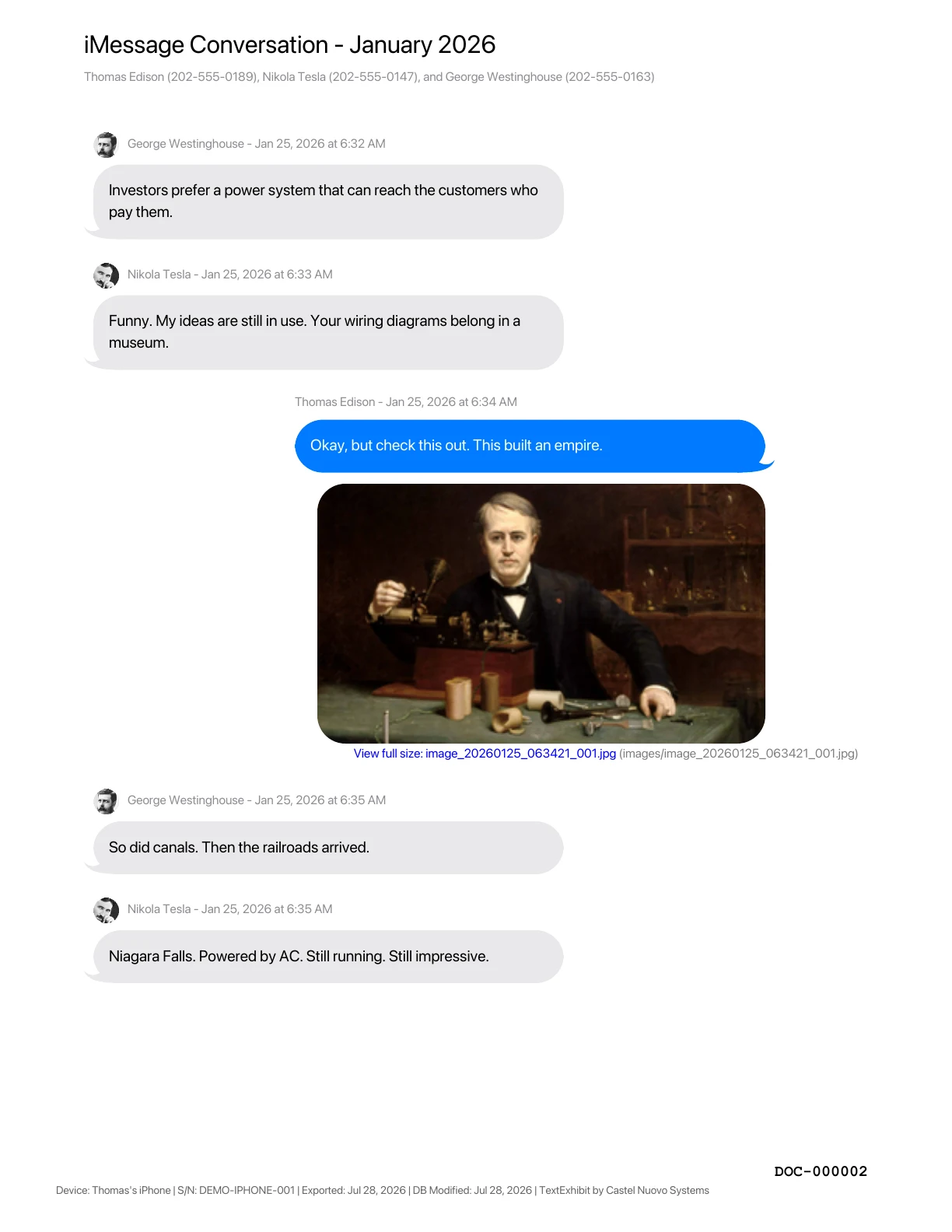
View example generated PDF
Searchable PDF · page DOC-000002
A local three-step workflow
Use Finder on macOS, Apple Devices on Windows, or receive a smaller .textexhibit package created with TextExhibit Extractor.
Pick conversations and date ranges, confirm full legal or contact names, and include or omit media.
Create PDF and Excel files with Bates numbering, verification reports, extracted media, and an optional ZIP.
Customer experience
Wow. Just wow. The computer version and the android version work seamlessly. This is the only app that did exactly what I needed without the hoops. Its basic in it appearance, but does the job! Customer service is out of this world too! I asked for help and got a response in less than 15 minutes!!!!!! That is unheard of!!!!!! I will be sending this app to my team of attorneys, and family court team. Thanks again! Highly recommend!
I don't generally write reviews but I'm proud to be the first to sing the praises of TextExhibit. It actually did exactly the thing it said it would do: exported my entire chat history between me and the person of interest in easily readable and searchable PDFs from the beginning of time until today. With time stamps and footnotes about which IMEI exported the data. And all the photos. And all the videos. Extremely professional product, polished, and easily worth the full version.
Don't waste your time on any other text extraction program for discovery. This one is fast, smooth, easy to use, and at $15 will save you way more than that on lawyer fees just because it will do Bates numbering for you. A+++.
I can't recommend TextExhibit enough. I've been looking for a way to print/publish early texts with my spouse as an anniversary gift for ages, but everything else simply does backup and presents it all as pure text. This app has a smooth, easy to use interface that offers tons of options, and most importantly allows it all to be displayed as text messages would be on your phone. If I could give it 6 stars I would.
Compare iPhone message export tools
Compare evidence verification, court-ready formatting, client intake, and current U.S. pricing.
Swipe horizontally to compare all products
| Legal-matter capability | TextExhibit Best legal value | Decipher TextMessage | iMazing |
|---|---|---|---|
| Integrity verification |
Yes
SHA-256 and MD5 report covering the source and every exported PDF/XLSX, with sizes, timestamp and time zone, filename mappings, Bates ranges, and verification commands. |
No
No source/output hash report found. |
Partial
SHA-256 backup checksum and Business PDF signing; no separate source-and-output report. |
| Bates numbering |
Yes
Continuous numbering across PDFs with a custom prefix and starting number. |
No
No Bates feature found; configurable starting page number only. |
No
No Bates feature found; page numbers only. |
| Device-provenance footer |
Yes
Device name, serial number, export time, and messages-database modified date on every page. |
No
No comparable footer found. |
Yes
Device name and serial number, export date, and database modified date. |
| Localized legal output |
Yes
Localized PDF and report labels and dates, Arabic/Hebrew RTL and bidi handling, plus Cyrillic/CJK fonts. |
Partial
Regional date formatting and Hindi font support; no full RTL/localized-report feature found. |
No
No localized export/report behavior found. |
| Message metadata |
Yes
Contact and number; available sent, delivered, read, edit, Undo Send, and recently deleted events with timestamps; retained revision or deleted-message content when present; optional timezone offsets; service, attachment, link, and added/removed Tapback details. |
Yes
Contact and number, timestamps/viewed time, groups, and edited/unsent notices. |
Yes
Contact details, status, attachments, and sent/received/edited/deleted/read timestamps. |
| Selective client intake |
Yes
Free Extractor packages only selected conversations and attachments for later attorney export. |
Partial
Messages-only backup, but no selected-conversation handoff package. |
Partial
Client extraction through paid Business device slots; no equivalent source package. |
| Formats and media |
Yes
Searchable PDF, native XLSX, inline images, extracted image/video/audio/files, relative links, and optional ZIP. |
Yes
PDF, CSV, HTML, TXT, and attachment export. |
Yes
PDF, Excel, CSV, TXT, attachments, and Business RSMF. |
| Local backup processing |
Yes
Encrypted or unencrypted Finder/Apple Devices backups; data remains local. |
Yes
Encrypted backups and local processing. |
Yes
Backup access and local processing. |
| Personal pricing | $19.99 once:
One personal iPhone, perpetual license, and unlimited exports. May change devices every six months. | $29.99
Two device activations. | $29.99/year:
One device, personal use only; an inactive slot releases after nine months. |
| Professional pricing | $14.99/month or $99.99/year:
Unlimited client devices, backups, and exports during the active term. | $29.99 per two lifetime device activations:
More devices require additional purchases. | $89/year:
Two concurrent Business device slots; inactive devices release after 90 days. |
Personal versus business use: iMazing’s $89.99/year Family plan supports up to 20 devices but is explicitly for personal use, so it is not the relevant plan for attorneys or organizations.
Prices in USD as displayed on August 3, 2026; promotions, taxes, and regional pricing may vary. No means “No publicly documented capability found as of the review date.” It does not mean the competitor was technically audited.
Official sources: Decipher product and licensingDecipher court-export featuresDecipher release notesiMazing export guideiMazing forensic featuresiMazing licensing policyiMazing store
Competitor names and trademarks belong to their respective owners. TextExhibit is not affiliated with Decipher Tools or DigiDNA/iMazing. Features and pricing may change. Export format alone does not guarantee admissibility in any court or proceeding.
Choose by how you work
I’m exporting my own iPhone
$19.99 one time
I handle client phones or ongoing cases
Desktop workflow overview
Desktop workflow overview. This video briefly shows Android support; iPhone exports use the Windows or Mac application with a Finder or Apple Devices backup.
Common questions
Unfortunately, Apple does not allow any app on the App Store to access text messages (SMS/iMessage) stored on an iPhone. This is a system-level restriction that applies to all developers, not just us, which means an iOS version of TextExhibit is not possible. TextExhibit therefore runs on Windows or Mac and reads a local iPhone backup.
Connect the iPhone to a Mac, select it in Finder, choose to back up the iPhone to this Mac, and click Back Up Now. TextExhibit can then scan for or open that local backup.
Connect the iPhone to a Windows PC, open Apple Devices, select the phone, choose to back up its data to the PC, and click Back Up Now.
Yes. TextExhibit supports encrypted and unencrypted local backups. You will need the backup password to open an encrypted backup.
No. Backup reading, conversation review, and export processing happen locally on your Windows or Mac computer.
Yes. TextExhibit Extractor can create a smaller .textexhibit package containing only the conversations the client selects.
Yes. The Personal iPhone license includes Bates numbering, SHA-256 and MD5 verification reports, local processing, and unrestricted PDF and Excel exports.
Personal iPhone is a one-time license for one personal iPhone. Monthly and Annual subscriptions support unlimited phones and exports during the subscription term and are intended for professionals with client phones or ongoing cases.
Enter your email address or a colleague's — we'll pre-fill a message you can send in one click.